 Firmdesk
Practice management software for Canadian accounting firms
Your clients' CRA deadlines, worked out for you. Clients send what you ask for through a portal on their phone, and your time becomes the invoice. Practice management software for accounting firms, hosted in Canada.
Plans from $49 CAD/month. 14 days free, with no card.

- Free tool. Work out one client's CRA deadlines, with no account. The deadline calculator
A firm's work, without the spreadsheet and the email chase
Deadlines, documents, time and invoices share one record for each client, so nothing is typed twice.
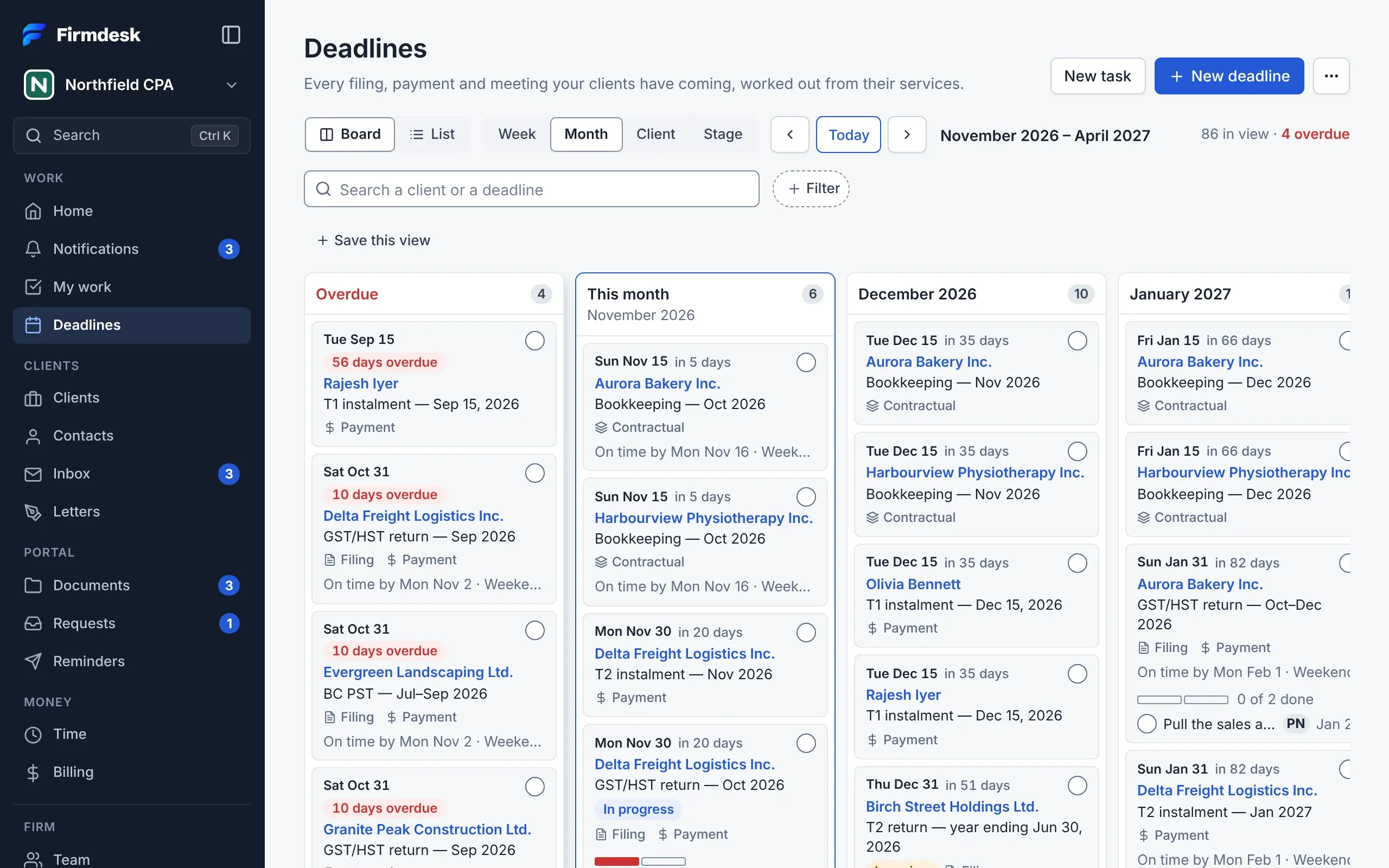
Deadlines that follow from the work
Give a client its services: T2, T1, GST/HST, QST, payroll, slips and more. Each filing and payment date is worked out about 15 months ahead.
How deadlines workClients send what you asked for
A request lists documents, answers and things to do. Clients finish it item by item, on their phone if they like, and you accept each one.
The client portalOne place for the whole practice
Clients and households, contacts, tasks, time and invoices, on servers in Québec. Export all of it whenever you like.
Everything Firmdesk doesCanadian accounting, bookkeeping and tax firms
Practices that do returns, books and payroll for individuals and businesses.

T1 practices
Families as households, slips and receipts by request, and every T1 and instalment date.
Requests and the portal
Corporate practices
T2s with their instalments and provincial returns, GST/HST, payroll and slips for owner-managed companies.
Firmdesk for CPA firms
Bookkeepers
Each month's books as a deliverable with its date, sales tax returns, payroll remittances, and time to invoice.
Firmdesk for bookkeepersKeep your tax software and your accounting software. Firmdesk doesn't prepare returns or keep books: it runs the practice around them, and you import the client list you export from them.
From your client list to your first request
In the app, a Getting started list takes you through each step on your first day.
Bring in your clients
Import your client list from a spreadsheet. Firmdesk matches the columns and shows what each row will do before anything is saved. On an annual plan, you can send us the file instead, and we'll import it for free.
Client records and the importSet up their services
Tick the clients and their services, and answer each service's questions once for all of them. You see every client's deadlines before they're added.
Invite clients and ask for documents
Invite clients to the portal, then send a request: to one client, or one of your templates to many clients at once.

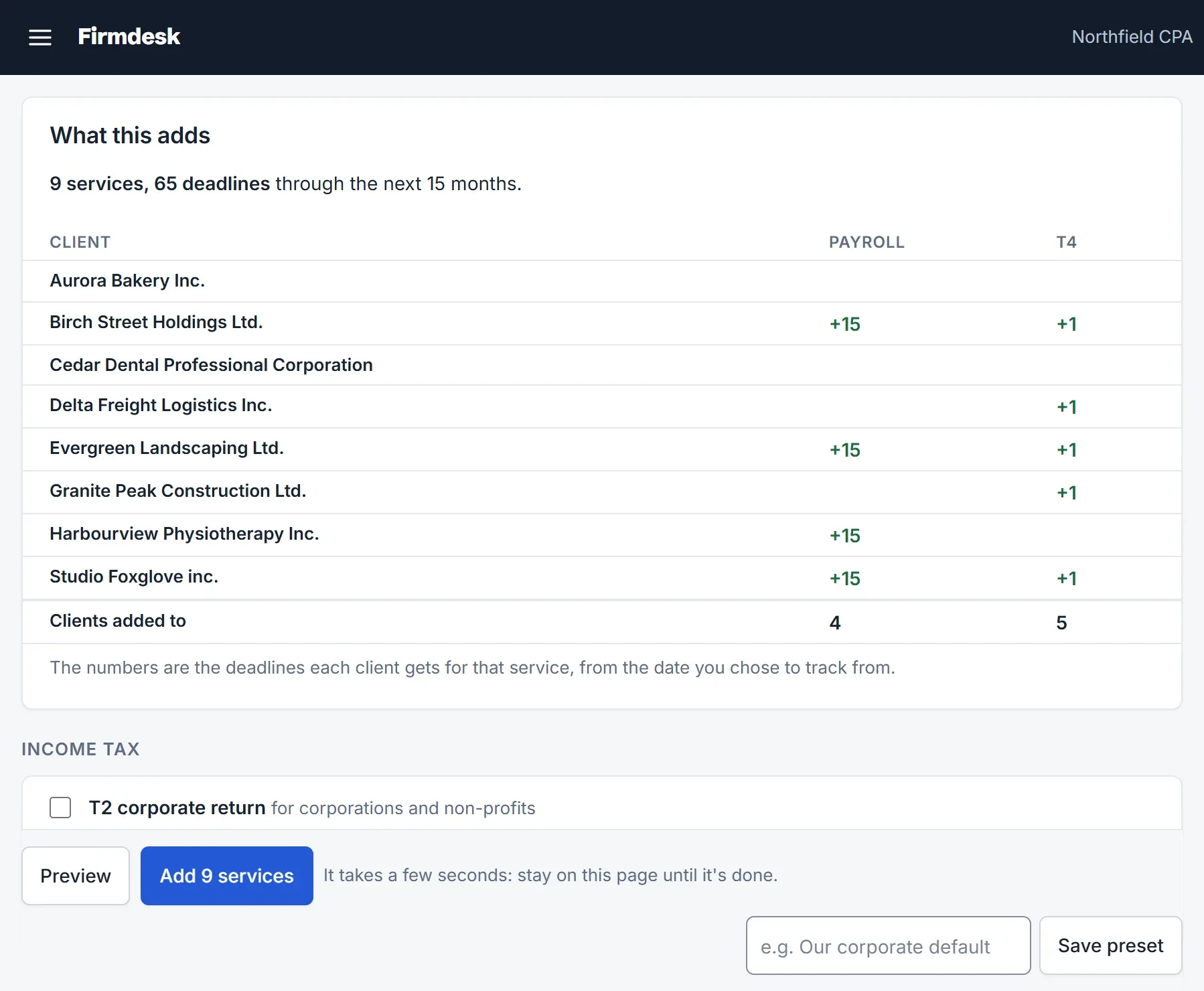
See the deadlines before you save
Adding a service asks plain questions, and lists the deadlines your answers will bring.
- T2 with its balance, instalments and the Alberta AT1 or Québec CO-17 return
- GST/HST and QST, monthly, quarterly or annual, with instalments
- Payroll remittances for quarterly, regular and accelerated remitters
- A date on a weekend or a CRA holiday shows the next business day too
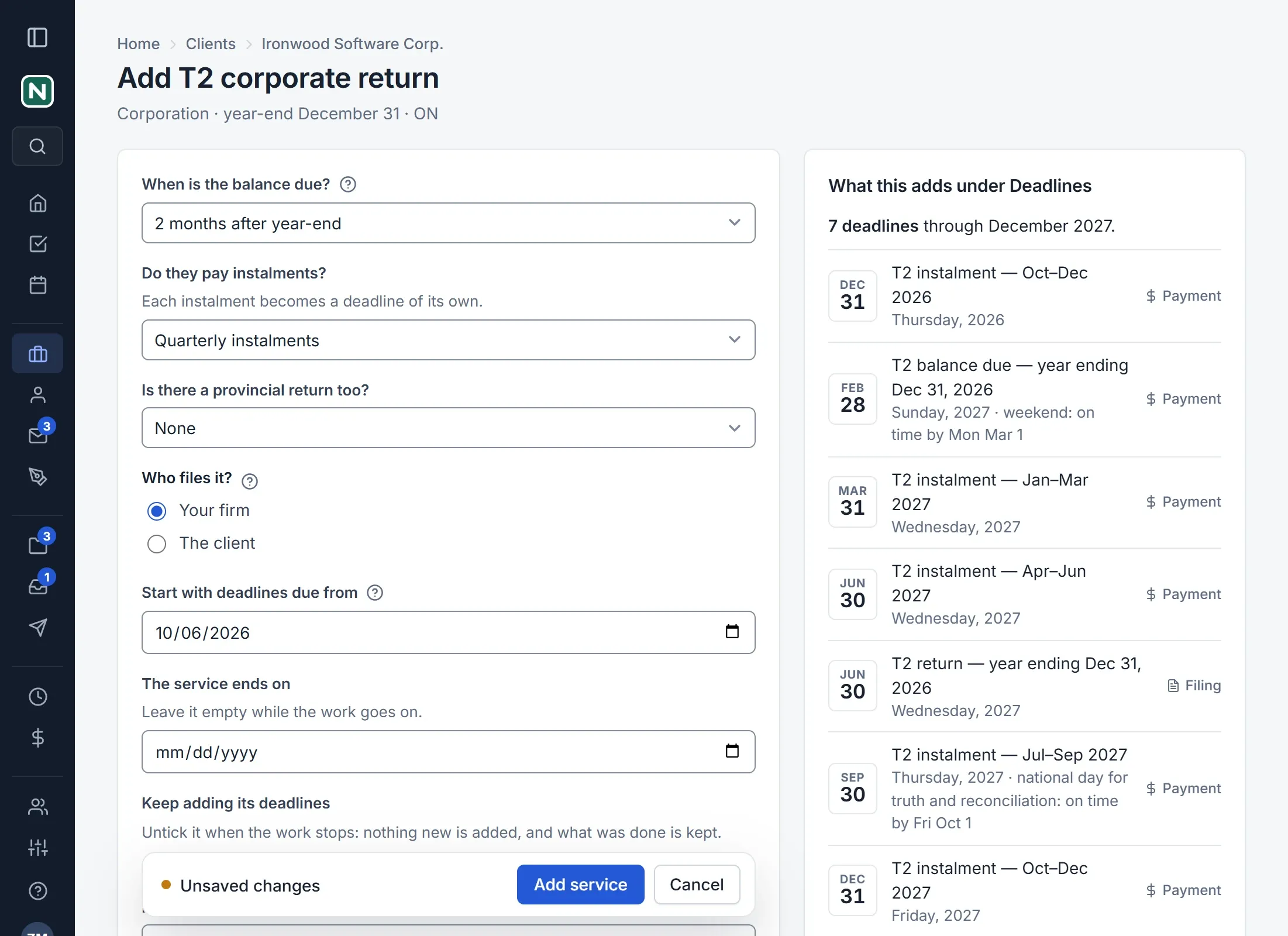
Change an answer and the list changes with it. Here is one question, “Do they pay instalments?”, answered three ways for the same client.
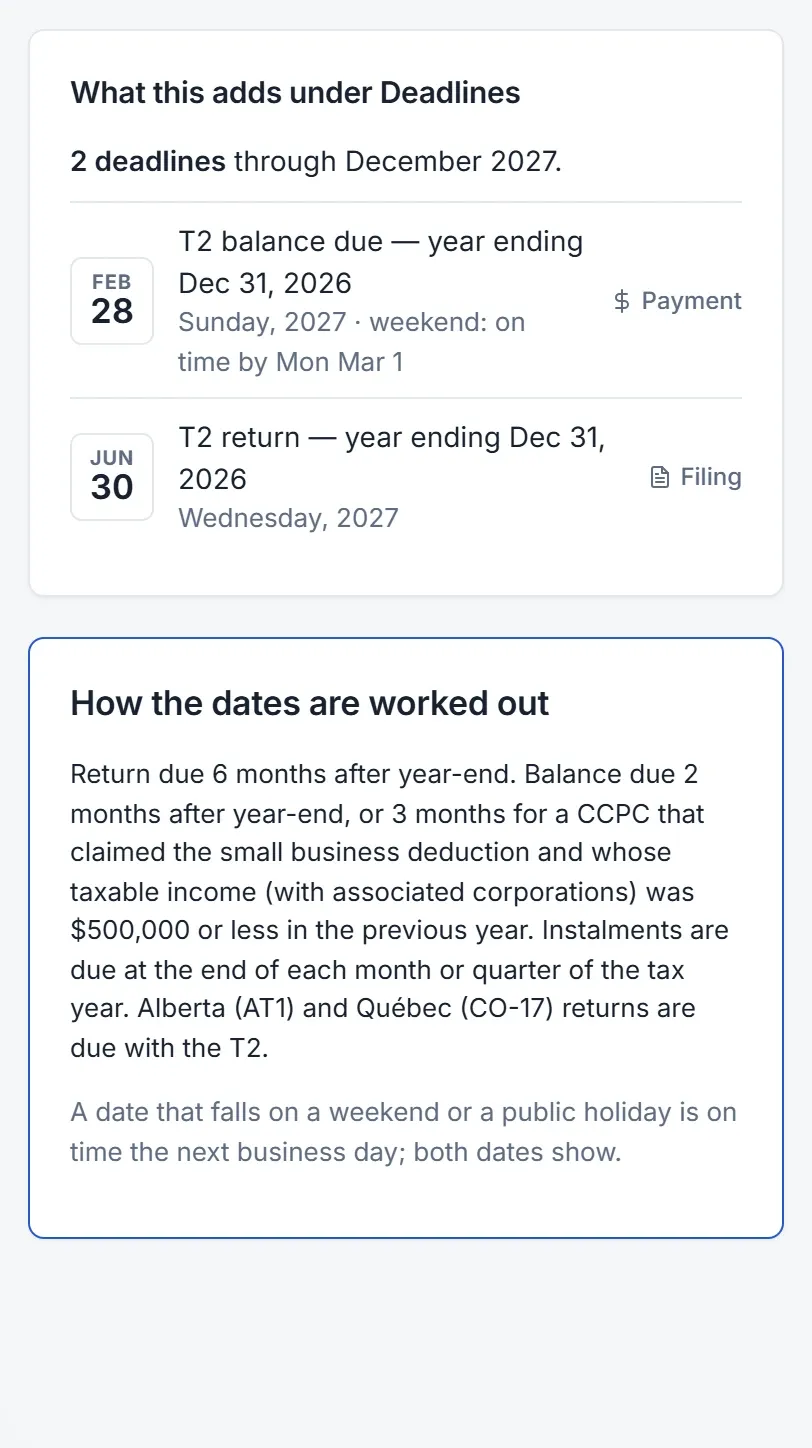
No instalments 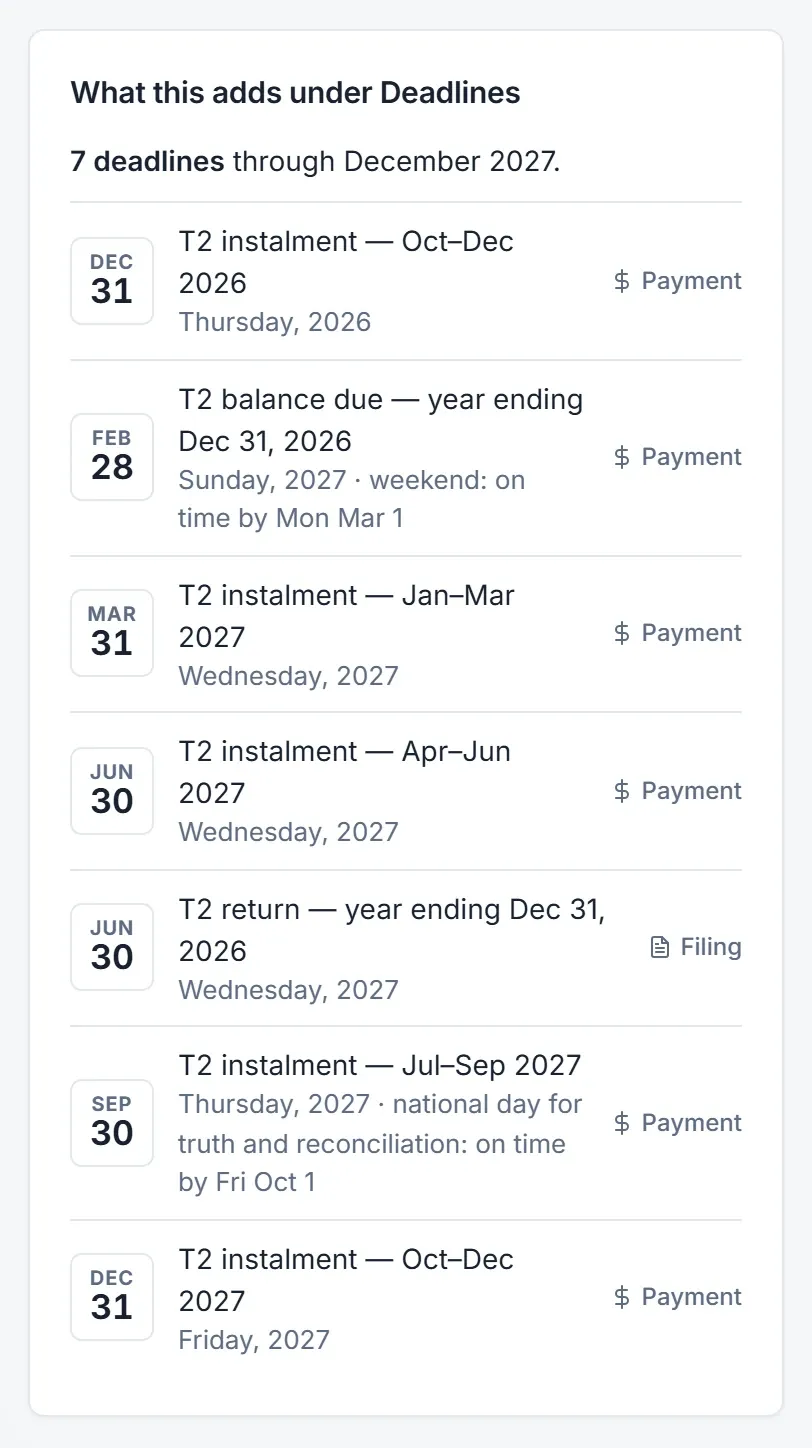
Quarterly instalments 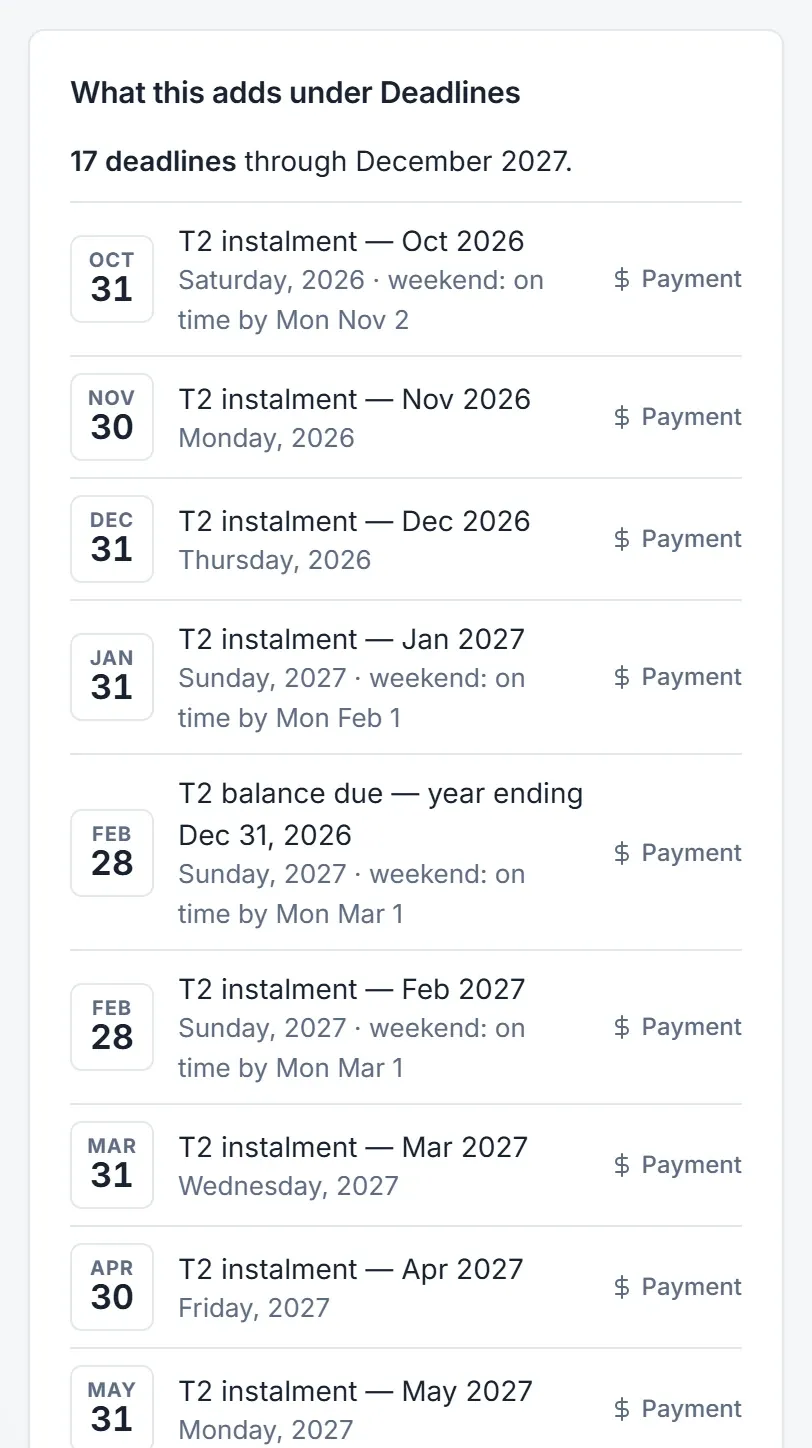
Monthly instalments


Work out one client's CRA deadlines, without an account
Choose a client's type, its year-end and the services you do for it. The deadline calculator lists its CRA and Revenu Québec dates for the year, by the same rules Firmdesk uses, with a file for your calendar.
Every document you asked for, in one list
A request tells the client exactly what you need. You see each item come in, with who sent it and when.
- Documents, answers (text, yes or no, a date, an amount) and things to do
- Accept each item, or send it back saying what's missing
- Templates such as a T1 checklist, sent to many clients at once
- As a tax organizer: headings, and questions asked only after a Yes
- What clients send filed in the right year and folder, the same folders for every client
- Reminders by email until the list is complete, if you turn them on

Agreed, signed and paid in the same place
The engagement letter, the signature before you file and the invoice's payment happen in the client's portal too.
Engagement letters
Write the letter from your template, with your fees. The client signs it on their phone, and signing it sets up their services and invoices. On the Advanced plan.
Engagement lettersE-signatures
Clients sign a T183 or any PDF of yours in the portal, with a code emailed as they sign. The signed copy carries a certificate. In every plan.
E-signaturesInvoices paid online
Clients pay an invoice in the portal, by card or pre-authorized debit, into your firm's own Stripe account. Firmdesk takes no fee.
Online paymentsAutomations
Your own “When …, then …” rules create the next task, send a request or write an email once a client signs, pays or completes a request.
AutomationsIt knows how your clients are set up
Households
A spouse and dependants under one main client, each with their own T1, billed together.
Corporations
Directors, officers and signing authorities, and a share register with its cap table.
Québec and Alberta
QST and the CO-17 for Québec clients, the AT1 in Alberta, and Saint-Jean-Baptiste Day in the holidays.
Sales tax on invoices
GST, HST or GST and QST, from the client's province, with your GST/HST and QST numbers on the invoice.
Your clients trust you with their returns
Here's how Firmdesk keeps them safe, in plain words.
How Firmdesk protects your dataThe app, its database and your documents are on servers in Québec, Canada.
Two-step sign-in: a code from an app for your team, a code by email for your clients.
An activity log of who signed in, and who opened, downloaded or shared each document.
Export everything at any time: a spreadsheet for every kind of record, and every document.