 Firmdesk
Practice management software for bookkeepers
Keep QuickBooks, Xero or Sage for the books. Firmdesk is software for bookkeepers that runs the practice around them: each client's close with its date, their sales tax and payroll deadlines, the statements you need from them, and your time and invoices.
- Monthly or quarterly closes
- GST/HST, QST and payroll dates

Each client's books, as a deliverable with its date
Give a client the bookkeeping service, and each period of its fiscal year gets its own deadline.
- Monthly or quarterly, following the client's own year-end
- Due when you say: a number of days after the period, or a day of a later month
- A checklist of steps for each period, each with who does it and when
- On the Deadlines board and on Home, beside every other client's dates
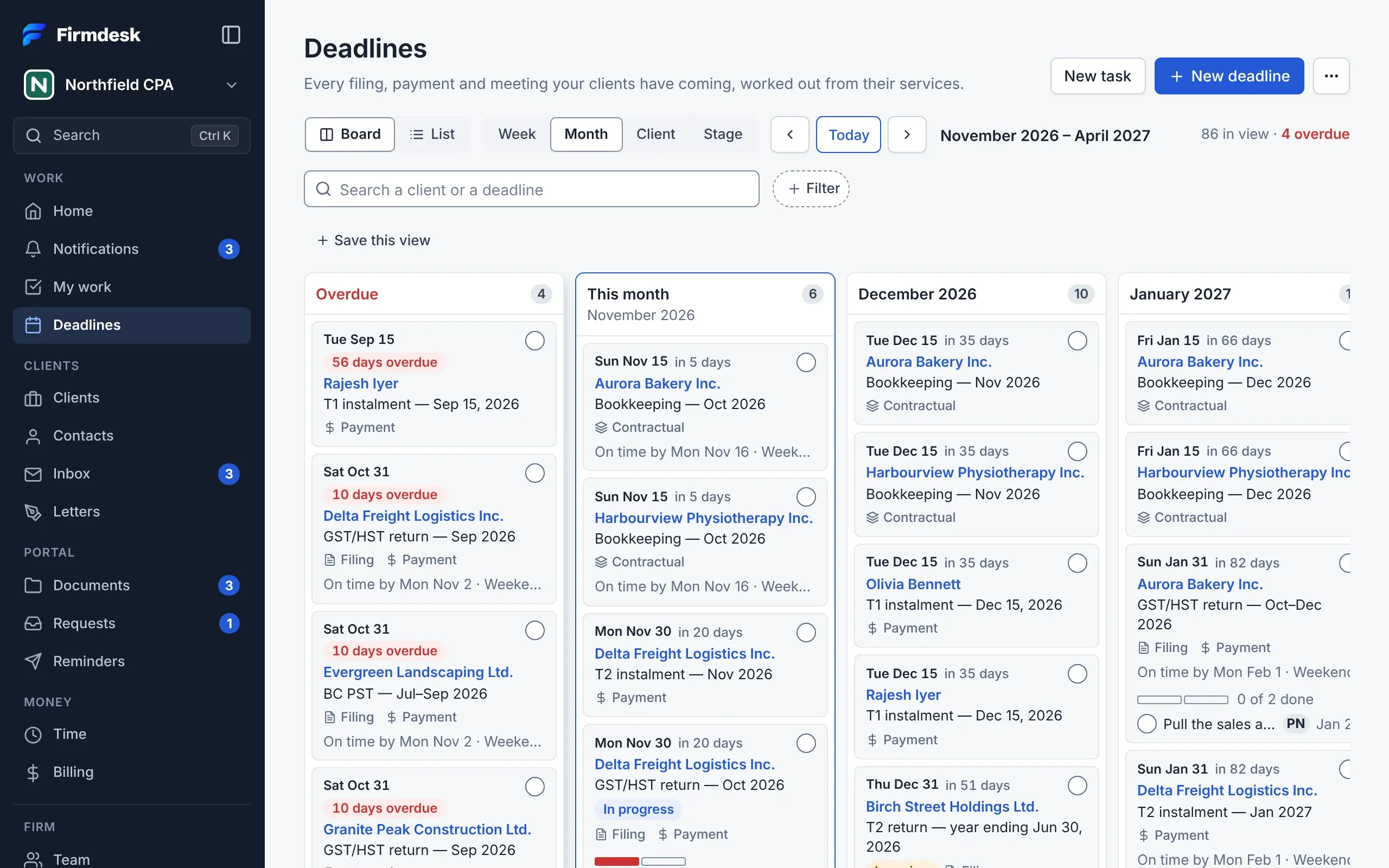
The CRA and Revenu Québec dates around the books, worked out
Answer a few questions per client once. The filing and payment dates follow, about 15 months ahead.
GST/HST and QST
Monthly, quarterly or annual returns, and instalments for annual filers.
GST/HST instalment due datesPayroll remittances
Quarterly, regular and accelerated remitters, and the T4 and T4A slips at year-end.
The remittance scheduleWeekends and holidays
A date on a weekend or a CRA holiday shows the next business day too, with Saint-Jean-Baptiste Day for Québec.
Statements and receipts, without the chase
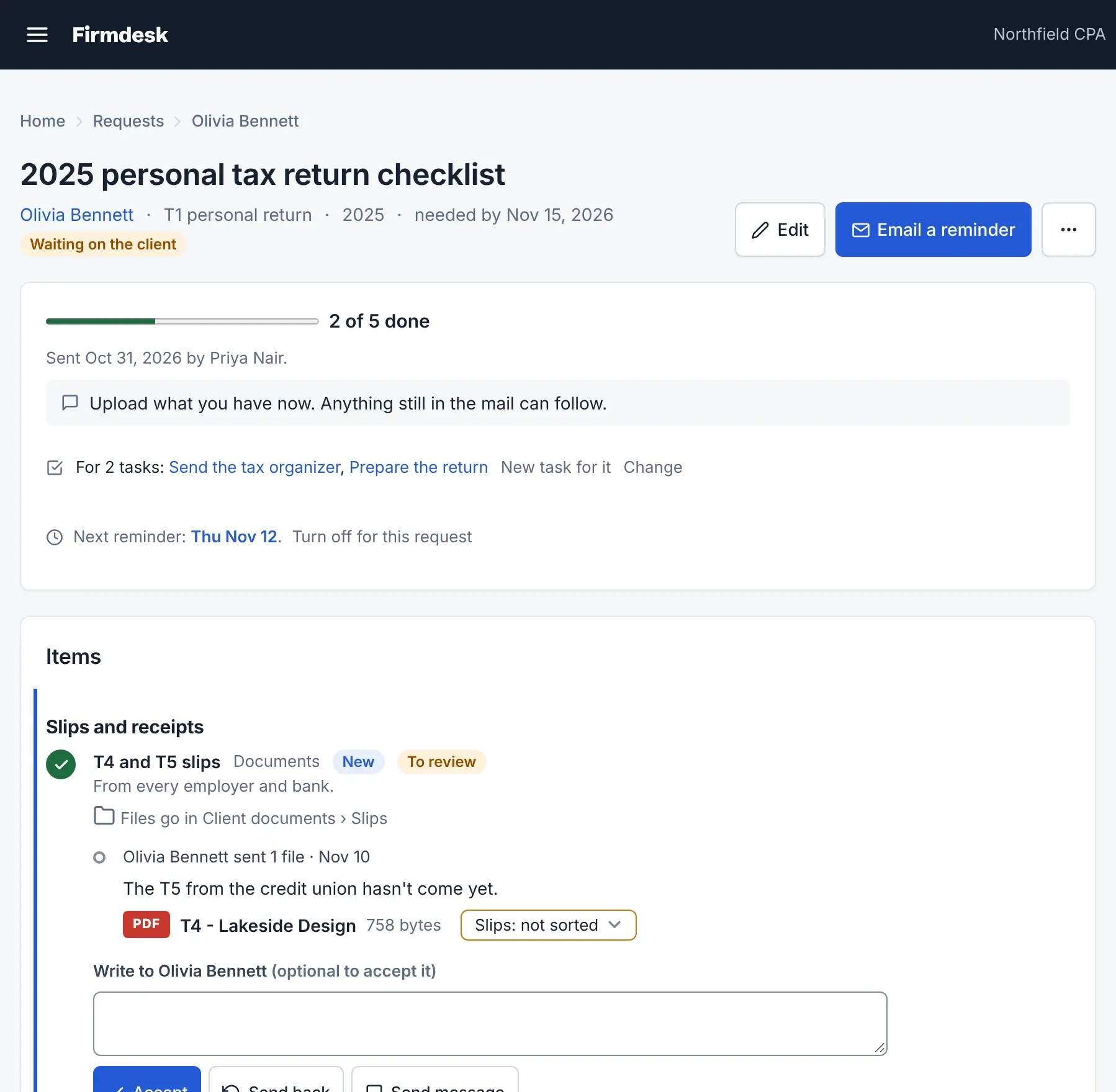
Ask for what you need as a list. Clients send it from their phone, item by item, and you see each one arrive.
- Your own month-end template, sent to one client or to many at once
- Reminders by email until the list is done, if you turn them on
- Accept each item, or send it back saying what's missing
- Statements, sales and bills filed in each client's folders for the year, the same folders for every client
Workflow, clients, time and invoices, in one place
Workflow software for bookkeepers
Checklists turn each period into tasks for the right person. My work lists yours; Home shows the whole firm's.
Deadlines and tasksA CRM for bookkeepers
Not a sales pipeline: a record for each client, with its contacts and their roles, services, documents and invoices.
Client recordsTime and invoices
A timer or a weekly timesheet, then unbilled time on an invoice with GST/HST or QST, emailed and shown in the client's portal. A monthly fee is a recurring invoice, made each month.
Time and billingQuestions bookkeepers ask
For running a bookkeeping practice
How much should a bookkeeper charge?
What an hour costs you, each client's real hours, and pricing by the hour, the month or in tiers.
Read the guideClient onboarding checklist
What to agree, collect and set up with each new client, from the first call to the first close.
See the checklistYear-end bookkeeping checklist
What to reconcile, review and close at a client's year-end, and what to gather from the client.
See the checklistMonth-end close checklist
Record, reconcile, review and lock a client's month, with what to keep as proof of each step.
See the checklistCatch-up bookkeeping checklist
Quote, collect and bring a client's books up to date, oldest month first.
See the checklist