 Firmdesk
E-signature software for accountants, in the client portal
Ask a client to sign a T183 before you file, or any PDF of your own. They sign it in their portal, on a phone or a computer, and the signed copy comes back to their documents with a certificate of who signed it, how and when. This e-signature software for accountants comes with every plan.

- Read it The document opens first.
- Sign it Two boxes to tick, and their name.
- Enter your code and sign Six digits, sent by email.
Signed The signed copy comes back, with its certificate.
Ask for a signature from the client's documents
Upload the PDF to the client's documents, or find one that's there, and click Ask to sign.
- The people who can sign are the client's contacts with portal access. The likely ones start ticked: the client for an individual; a business's signing authority, directors and officers.
- Each person signs on their own, and each signed copy comes back separately.
- Add a message and a Needed by date. With reminders on for the client, the signer is reminded before it, then at your interval until they sign.
- You're emailed when they sign or decline. Email again and Stop asking are on the document's page.
What your client does
They open the email and click Review and sign, or find the document under To sign in their portal. Nothing to print, scan or install.
Read it
They open the document and read it through. Signing isn't possible until they've opened it.
Sign it
They agree to sign electronically, confirm they've read it and type their full name. At a business they give their title too, and anyone can draw their signature as well.
Enter your code and sign
A 6-digit code is emailed to the address they sign in with. It works for 10 minutes. They enter it and click Sign.
Or decline
If something's wrong, they click Decline to sign and say why. You're emailed their note.
A signed copy, with its certificate
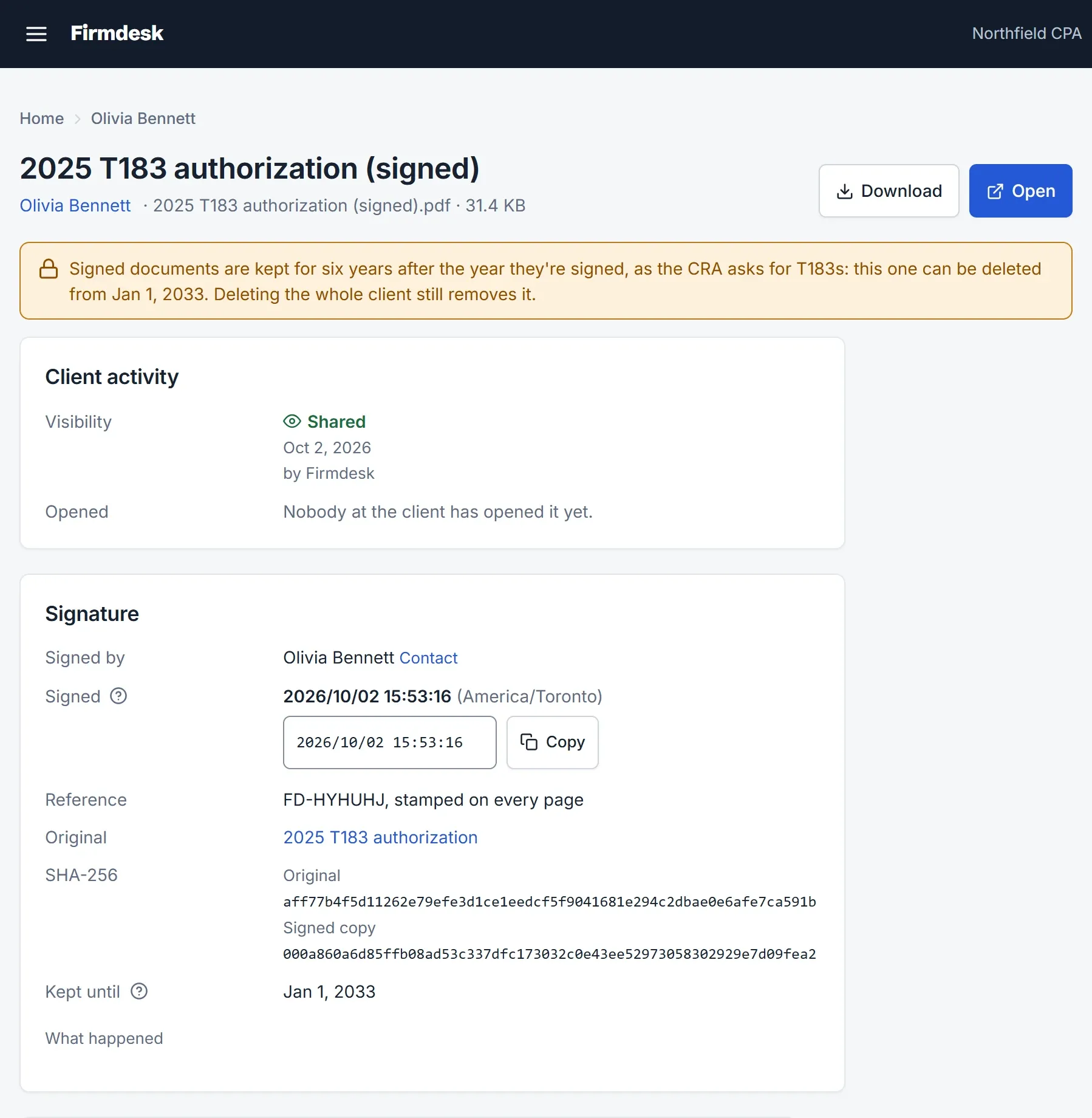
The signed copy is a new document, shared with the client. The original stays as it was.
- A footer on every page: who signed it, when, and a reference.
- A Signature and certificate page at the end: the signature, the name they typed and their title, how they were identified (their password, then the code emailed to them), each step with its time, their internet address and browser, and the SHA-256 fingerprint of the original.
- Form fields in the PDF are drawn into the pages, so the signed copy reads the same in any viewer.
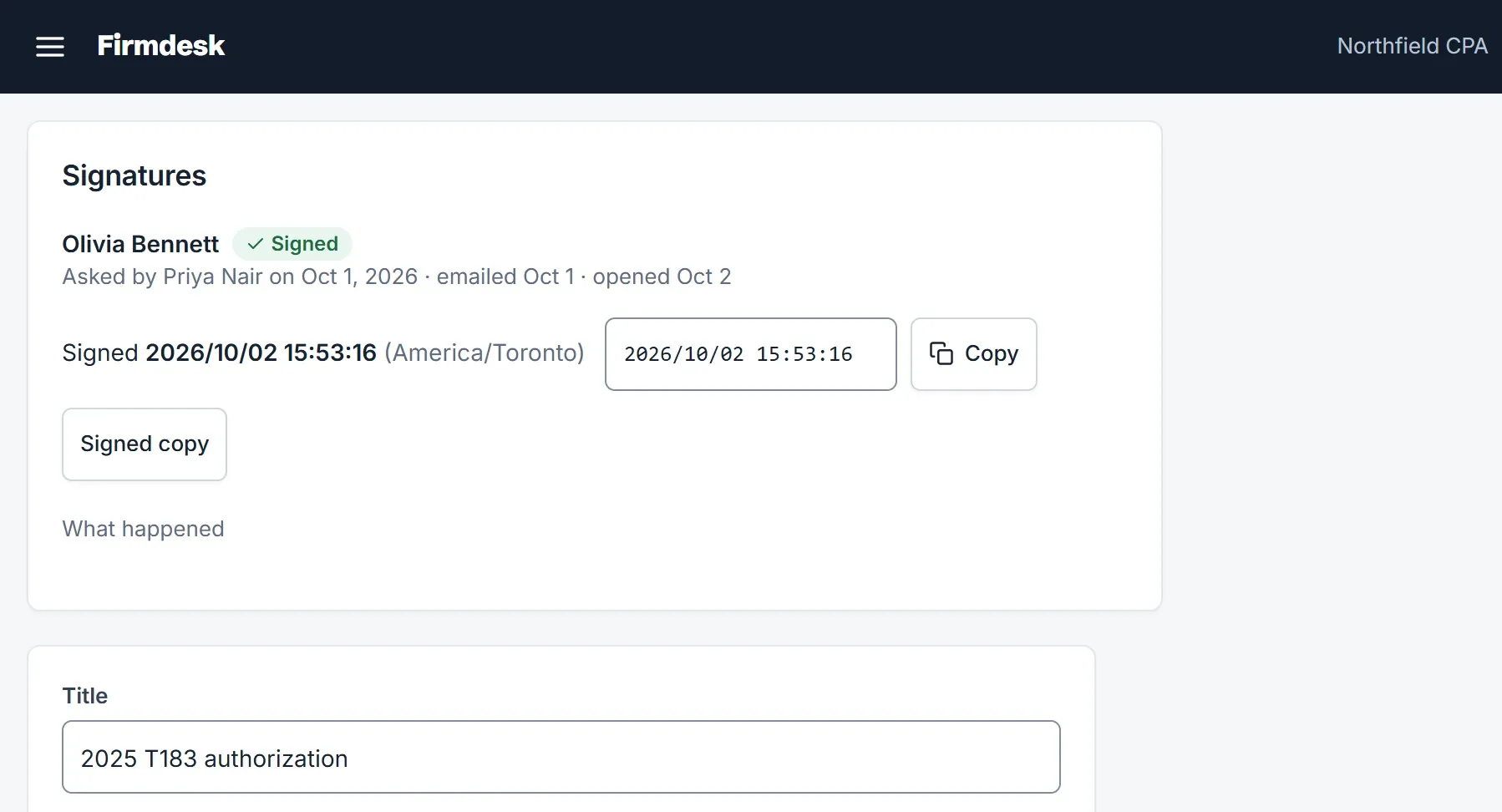
The date and time of signing, ready to copy
When a T183 is signed outside your tax software, the software may ask for the date and time it was signed before you file.
The signed copy's page shows them at your firm's time, year first and to the second, such as 2026/10/01 19:33:09 (America/Toronto). Click Copy and paste it there. As we read the CRA's page on electronic signatures on October 5, 2026, certain forms need this date-and-time stamp, written year, month and day, then hour, minute and second.
For the forms a Canadian firm has signed
An e-signature is only useful where it's accepted. Here is what we know, and what stays with you.
CRA forms
The CRA lists the forms that can be signed electronically: the T183, T183CORP, T183TRUST, T2183, T2200, T1223, RC71, RC72, CPT30, T183-GMT and UHT-183. It accepts a signature made through an access-controlled, secure website, such as a client portal. The AUT-01 isn't on its list: don't have it signed here.
From Using electronic signatures, on canada.ca, as we read it on October 5, 2026. Check the page itself before you rely on the list.
Your own documents
A financial statements acknowledgement, a consent, a representation letter: any PDF of yours is signed the same way. For a Québec return, check Revenu Québec's current rules before relying on an e-signature.
Know who signs
An e-signature shows who signed, not who the person is. Record your check on the contact (photo ID in person or on a video call, or a known client): it's printed on the certificate of each document they sign.
Kept for six years
A signed copy, and the original it was signed from, can't be deleted from the documents pages for six years after the year it was signed. Your exports include them, with the record of each signature.
Signed where the rest happens
The signature is one step of the work, in the portal your clients already use.
Engagement letters
On the Advanced plan, a letter from your own template is signed with the same e-signature, and signing it can set up the client's services and invoices.
Engagement lettersThe client portal
Where clients sign, send documents, answer requests and approve returns, with one login for everything they see at your firm.
The client portalWhat happens next
An automation can take the next step when a client signs: a task for the preparer, or an email to someone at your firm.
Automations