 Firmdesk
CPA practice management software for Canadian firms
Practice management software for CPA firms that plans T1 season and corporate year-ends from each client's CRA dates. Checklists take the work from preparer to reviewer to partner, and clients send their documents through a portal.

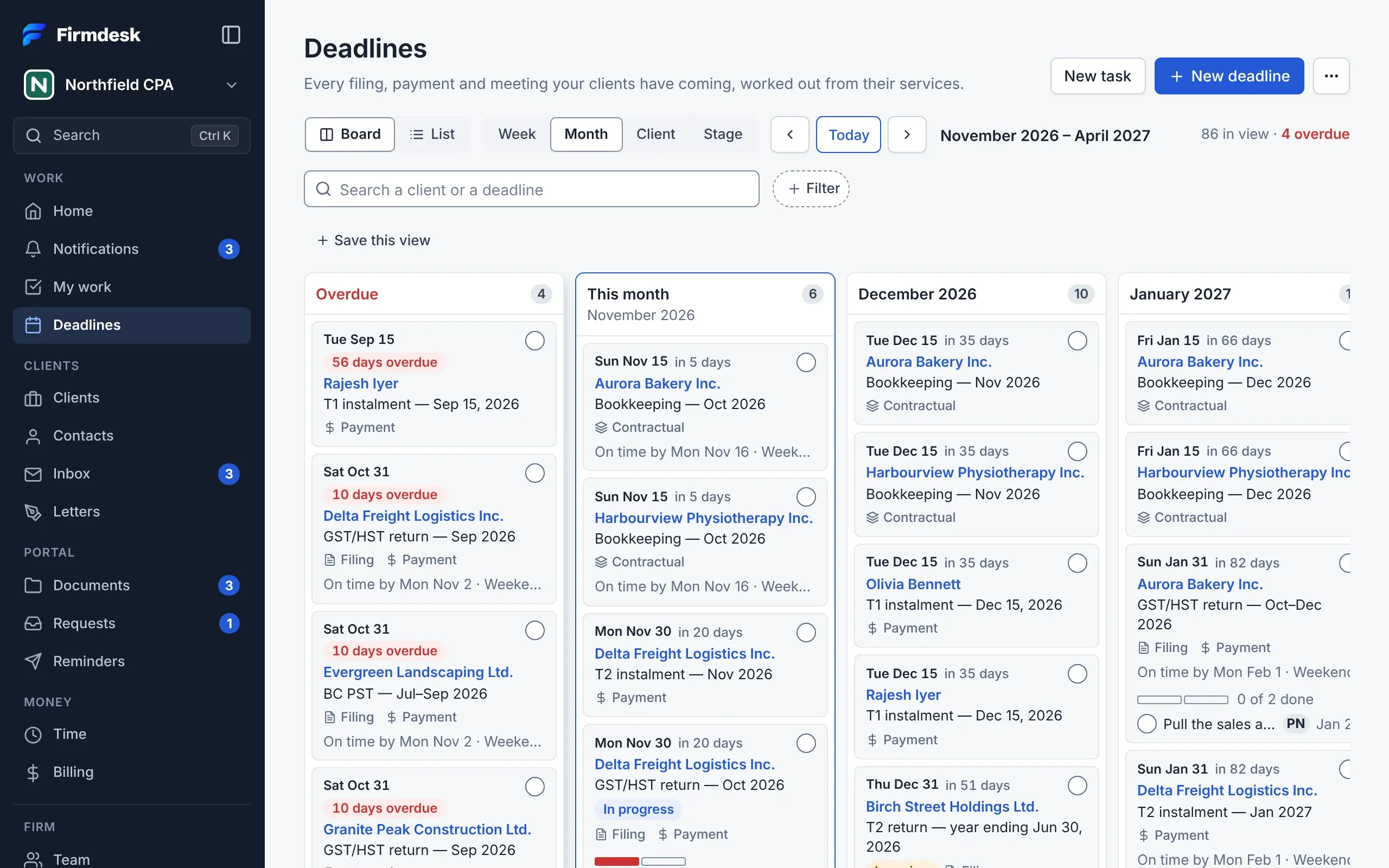
Every client's CRA dates, from its services and year-end
Give each client its services once. The filing and payment dates follow, about 15 months ahead, on one board for the whole firm.
- T1, T2 with the AT1 or CO-17, T3, T3010, T1044 and T5013
- GST/HST, QST, payroll remittances by remitter type, and T4, T4A, T5 and T5018 slips
- Instalments, and the balance due 2 or 3 months after year-end
- Filings the client does itself, kept on the board and greyed out
From preparer to reviewer to partner, on every file
Each client has its own team. A checklist turns each deadline into tasks for the right people, on the days you choose.
- A partner, manager, preparer and reviewer on each client
- Each step goes to whoever holds its role, a set number of days before the deadline
- My work lists each person's tasks; Home shows what's overdue and due this week, for you or the whole firm
- Each person's time off on their page; Capacity weighs the work due against the hours left, week by week (Advanced plan)
- Automations for the next step, such as a task for the preparer once a client's T1 request is complete
Households, slips by request, and the return for approval
Send every T1 client the list of what you need at once. They send it from their phone, and you accept each item.
- A household on one page: each person's return, and one invoice
- The personal tax return checklist, a tax organizer sent to one client or to many
- Slips filed in the year's folder as they arrive, and sorted by kind: T4, T5, T2202
- Reminders by email until the list is done, if you turn them on
- The finished return shared for approval: the client presses Approve, or asks for changes
- The T183 signed in the portal before you file, with a certificate on the signed copy

The records a corporate file needs, on the client's page
- A share register: share classes, issues and transfers, with the cap table they make
- Related parties: who controls each corporation, and which corporations are associated
- Directors, officers, signing authorities and bookkeepers, each linked to every client they're part of
- The T2's provincial return where it has one: the AT1 in Alberta, the CO-17 in Québec
Time, invoices and a record for every client
Time and billing
Timers and weekly timesheets, approved by a manager. Unbilled time becomes an invoice with GST/HST or QST, emailed to the client.
Time and billingClient records
Corporations, individuals and households, trusts, partnerships and non-profits, brought in from a spreadsheet.
Client recordsSecurity
Two-step sign-in, required for your whole team. A log of who opened, downloaded or shared each document.
How your data is protectedQuestions CPA firms ask
CRA dates and checklists, free to use
T2 corporate tax deadlines
The return, the balance and the instalments, for the year-ends your clients have.
See the datesT1 personal tax deadlines
April 30 and June 15, the balance for both, and the four instalments.
See the datesClient onboarding checklist
What to agree, collect and set up with each new client, ready to print or copy.
See the checklistEngagement letter templates
A compilation (CSRS 4200) with the T2, a personal return, and monthly bookkeeping.
See the lettersPBC list for a year-end
What the client provides for a corporation's year-end, account by account.
See the list