 Firmdesk
Engagement letter software for accountants and bookkeepers
Write the letter from one of your templates, with what you'll do and your fees. Your client reads it in their portal and signs it there. Once it's signed, Firmdesk can set up what it says. This engagement letter software for accountants comes with the Advanced plan.
- You send the letter From your template, with your fees.
- Your client signs it in the portal They read it there first, on a phone if they like.
Signing it sets up what you chose
- The client becomes active
- Its services are set up, and their deadlines worked out
- Recurring invoices start
- A draft invoice for the one-time fees
From your own templates
Every firm starts with three, written to be adapted: a corporate year-end and T2, a personal tax return (T1) and monthly bookkeeping.
- Each says what you'll do and won't, what the client is responsible for, deadlines, fees and billing, records, their authorization with the CRA, privacy, and how either of you ends it.
- The year-end letter is for a compilation engagement. It is written to cover what CSRS 4200 asks an engagement letter to: check it against the standard before you use it.
- Fields such as the client's name, its year-end, the signer and the partner fill in when the letter is sent.
- A row for each fee: once, or every month, 3 months, 6 months or year.
The templates are a starting point, not legal or professional advice: read them through, and make them yours before you use them. All three can be read in full on our engagement letter templates page.

Read and signed on a phone
The client gets an email with a Review and sign link. The portal shows the letter itself, readable on a phone, with its fees at the end.
- They sign it as they sign any document: they confirm they've read it, type their name, then enter a code emailed to them.
- The same letter opens as a PDF with your letterhead, the fees with a total for each frequency, and the signatures.
- If it isn't right, they decline and say why. Duplicate the letter, change what they asked, and send the new one.
- Nobody at the client can sign in yet? Give the signer portal access as you send it.

Signing it sets up the work
Choose what happens the moment the client signs. The letter's page then says what was done, and you're emailed the same.
- The client becomes active: a prospect, or an inactive client coming back.
- Its services are set up, with the settings you chose, and their deadlines are worked out.
- Recurring invoices start on the date you chose: one for each frequency of your fees.
- A draft invoice is made for the one-time fees, for you to review and send.
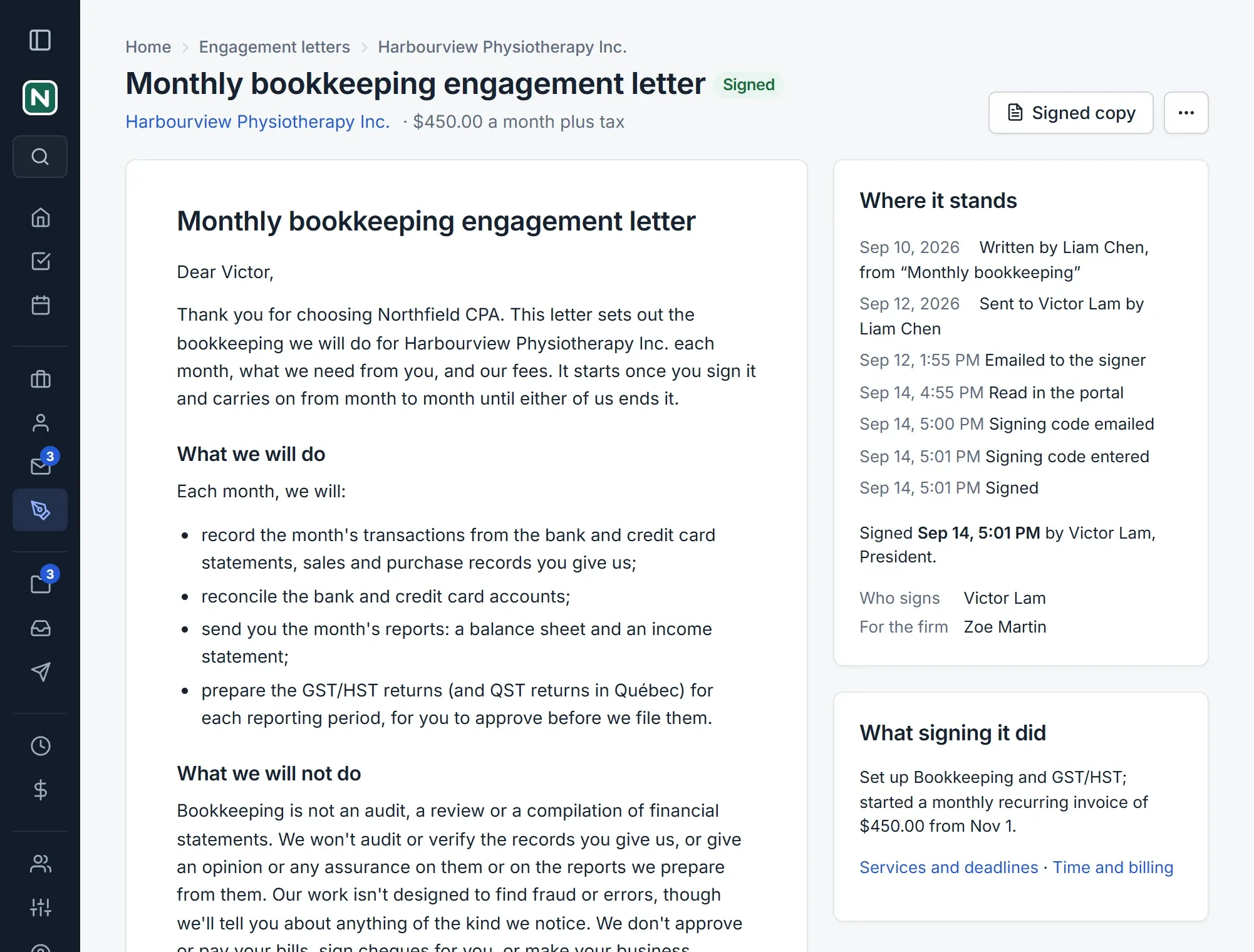
From proposal to signed letter
A proposal works the same way: it's a letter the client hasn't signed yet.
Where each letter stands
Letters lists them all: draft, waiting for signature, signed, declined, withdrawn or expired. A letter's page shows when it was sent, emailed, opened and signed.
A date to sign by
Give a letter a To sign by date and it expires the day after. With reminders on for the client, the signer is reminded before it. Email again sends it once more.
The same letter next year
Duplicate makes a new draft with the words as you typed them: its fields fill in again for the new date and signer. Withdraw it stops a letter that's out.
Fees stay with those who bill
Letters carry your fees, so partners, managers, owners and admins see them. The letter and its signed copy are among the client's documents for them only.