 Firmdesk
A bookkeeping client onboarding checklist
What to agree, collect and set up with each new client of a bookkeeping or accounting firm, from the first call to the first month's close. Use it as it is, print it, or have the Word and PDF copies emailed to you.
The bookkeeping onboarding checklist
Five stages, written for a bookkeeping client. For a client you only do taxes for, skip the books.
1. Before you say yes
- A first call: what they need done, and by when
- The state of their books: up to date, behind, or never kept
- Their fiscal year-end, and the next deadlines coming up
- A fit: your services, the volume of work, the software they use
- Your quote, with any catch-up work priced on its own
2. Agree in writing
- The services, and how often: monthly, quarterly or once a year
- What the fee includes, and what's billed on top
- The fee, when you invoice, and when payment is due
- What the client sends you, and by which day
- Who files what: sales tax returns, payroll remittances, slips
- How you'll share documents: a portal, not email attachments
- The start date, and the first period you'll do
- The engagement letter, signed and kept with the client's records
3. Collect from the client
- Legal name, business number, type of business and province
- The people: who you deal with, who approves, who signs
- Photo ID, to confirm who you're working with
- Last year's financial statements, tax returns and notices of assessment
- Last year-end's trial balance and general ledger, for the opening balances
- Bank, credit card and loan statements from the start date
- Access to their accounting software, as a user of your own
- Sales tax: GST/HST and QST numbers, how often they file, the last return filed
- Payroll: the pay schedule, the remitter type, the employees, the last remittance
- Their previous bookkeeper's or accountant's name and email
- Their authorization for you to represent them with the CRA
- The best way and time to reach them
4. Set up at your firm
- The client's record: contacts, services, year-end and fee
- Their deadlines in your calendar: sales tax, payroll, slips, returns
- A place for their documents, and their invite to your portal
- The requests you'll send again: month-end statements, year-end documents
- Their books: the chart of accounts reviewed, bank feeds and rules set
- Billing: the rate or the fixed fee, and the first invoice's date
- Who at your firm does the work, and who reviews it
5. The first month
- The first period closed, with a note of what was missing
- A call with the client: what you did, and what you need
- The time it took, compared with the fee you quoted
- The scope or the fee changed now, if the work isn't what you agreed
One email, with a copy you can change. Nothing more unless you ask.
The client's part, as a Firmdesk request
Firmdesk comes with a shorter version of section 3 as a request template: the Getting started checklist. Send it, and the client answers each item in your client portal.
- Send it to one client, or tick your new clients in the client list and send it to all of them at once.
- Each client gets their own copy, to answer item by item on a phone or a computer: files, a written answer, or a tick for what's done.
- You accept each item, or send it back with a note saying what's missing.
- A client who can't sign in yet finds it waiting once you invite them to the portal.
- Reminders go out until it's complete, if you turn them on for the client.
The picture is a personal tax request at Northfield CPA, our made-up demo firm. A request made from the template works the same way.
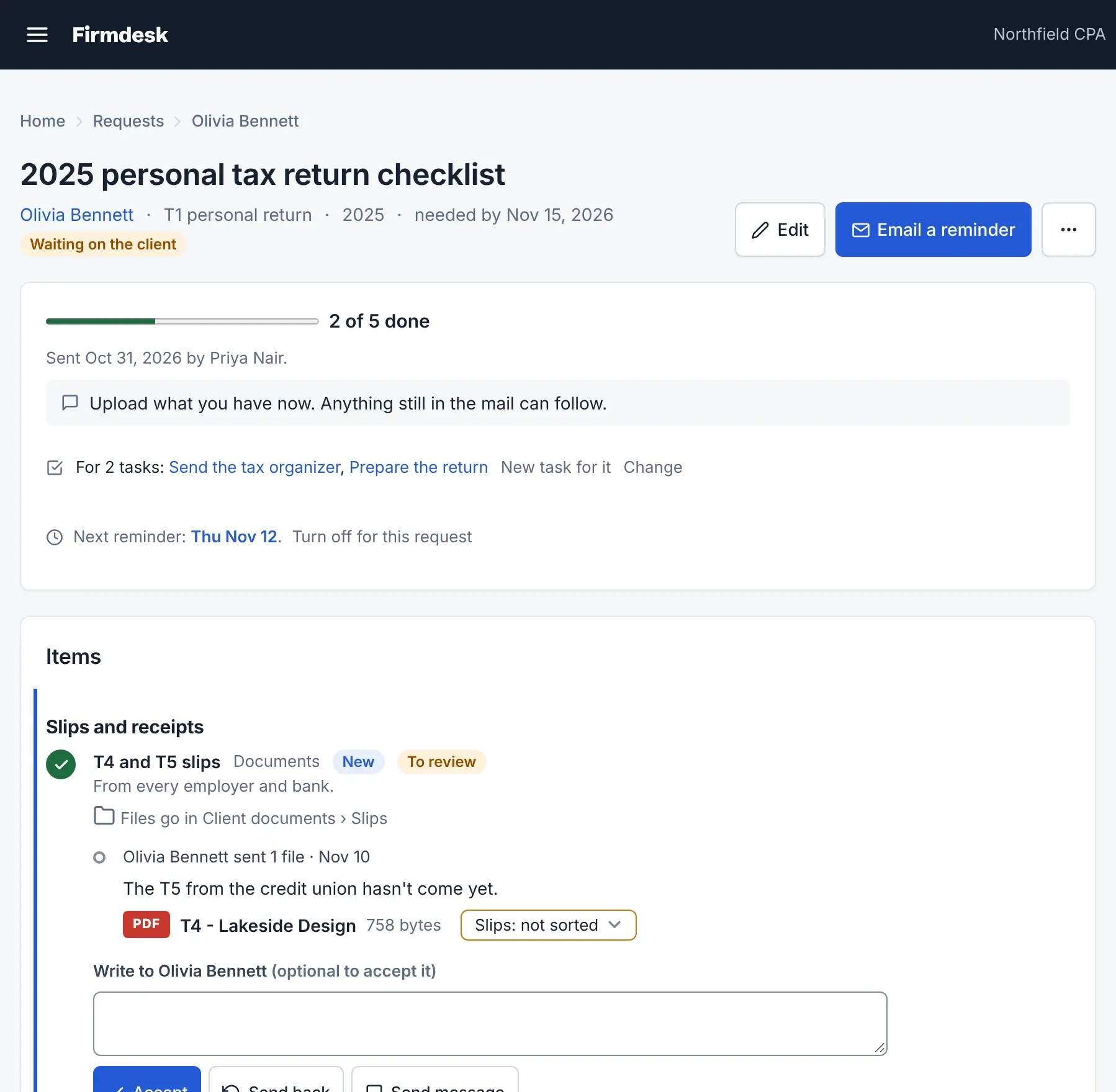
What the Getting started checklist asks for
| Item, as the client sees it | What the client does |
|---|---|
| Your last two tax returns and notices of assessment Personal or corporate: the ones we'll be preparing from now on. | Documents: uploads the files |
| Photo ID A driver's licence or a passport, to confirm who you are. | Documents: uploads the files |
| Authorize us as your representative with the CRA In CRA My Account or My Business Account. We'll send you what to enter; tick it off once it's done. | General: marks it done, with a note or files |
| Your bookkeeper or payroll provider, if you have one Their name and email, so we can work with them. Tick it off if you don't have one. | General: marks it done, with a note or files |
| The best way and time to reach you | Information: types an answer |
Your firm sees it as New client onboarding, needed within 14 days of sending. It's your firm's own copy: change its items, its message and how soon it's needed, or make templates of your own. For a bookkeeping client, add what section 3 asks for that it doesn't, such as bank and credit card statements from your start date, and access to their accounting software.
On the Advanced plan, the engagement letter of section 2 is written from your own template and signed in the client portal: engagement letters.
Setting the fee in section 2? How much should a bookkeeper charge? For the client's year-end: the year-end bookkeeping checklist. The questions to send before the first meeting: the client intake form.
Try it with your own clients
Sign up, and the checklist is waiting on your first page, ready to use.
Free to try. See pricing